

Beginner · STEM · Curiosity Questions
Materials: Pencil or crayons, scrap paper, 8–12 small household objects (or picture cards) for sorting — like socks, spoons, crayons, toy cars. Optional (adult-led only): a familiar phone or tablet app you already use (maps or search suggestions). No chatbot account required.
Tips: Read the What and Why sections aloud together. Ask “What do you notice?” before you explain. Stay with your child for any screen time. Do not send kids to chatbots alone — if you peek at maps or suggestions, you lead and you stay. Use the sorting activity and screen peek as invitations to wonder together. This is a supplemental STEM aid for home or summer learning — not a school curriculum replacement and not medical or therapy advice.
Before we explain, wonder together:
- How can a computer guess the next song or show you a map without being a person?
- Is AI magic — or is it learning from lots of examples, like spotting a pattern?
There are no wrong guesses. Notice first — then explore.
Ask → Explore → Apply: We ask those questions, explore with What / How / Why / When, then apply by sorting examples and spotting patterns.

AI stands for artificial intelligence. AI is when a computer learns from many examples so it can help with patterns and predictions.
AI is not a magic robot that “thinks” like a human. It does not feel happy or sad. It is a tool people build and check.
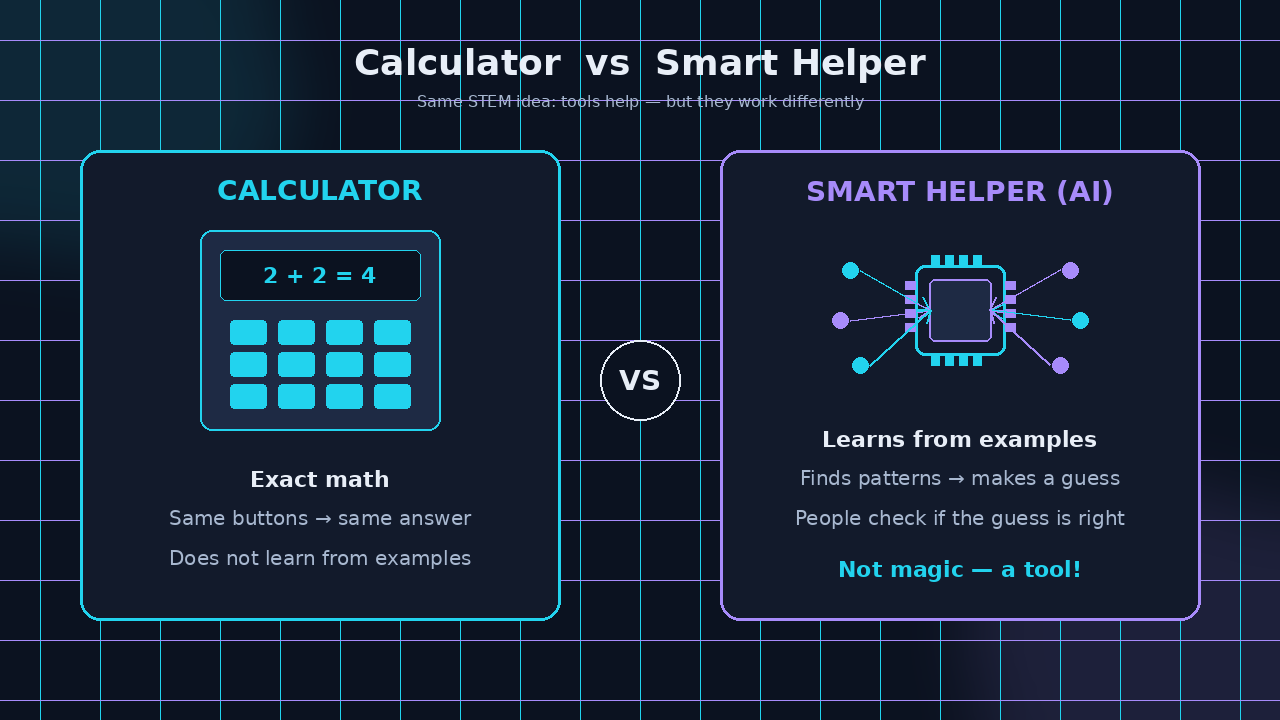
A helpful comparison:
- Calculator — does exact math when you press buttons. Same inputs → same answer.
- Smart helper (AI-ish) — studies lots of examples first, then helps guess or sort something new (like “this photo looks like a dog” or “this road may be faster”).
In one sentence: AI is a computer helper that learns from examples to find patterns and make useful guesses — not magic.

People teach AI in steps that feel a lot like how you learn a new game:
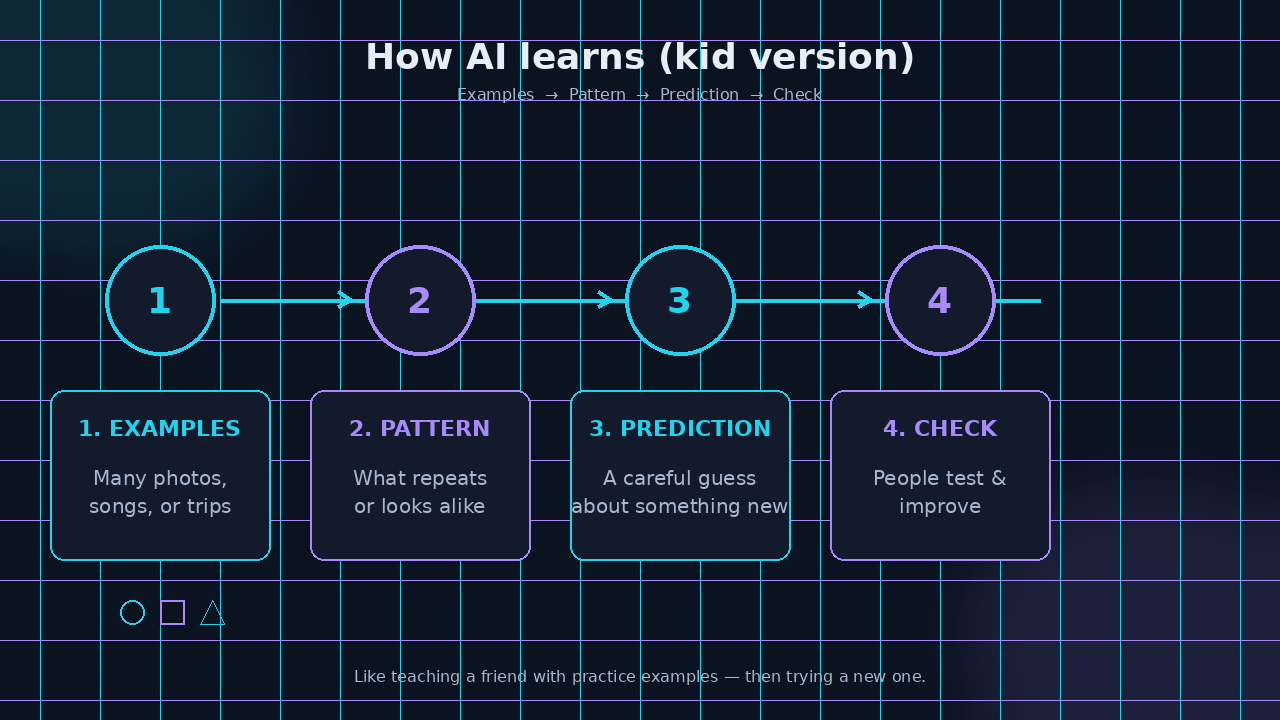
- Collect examples. Photos of cats. Songs you like. Trip times on the same roads on different days.
Find patterns. A pattern is something that repeats or looks alike — round wheels, four legs, rainy days → slower traffic.
- Make a prediction. A prediction is a careful guess about something new: “This new photo is probably a cat.”
- Check and improve. If the guess is wrong, people fix the examples or the rules. Computers do not “know” they are wrong unless people test them.
That learning-from-examples idea is sometimes called machine learning — a computer improving at a job by studying many examples, with people in charge.
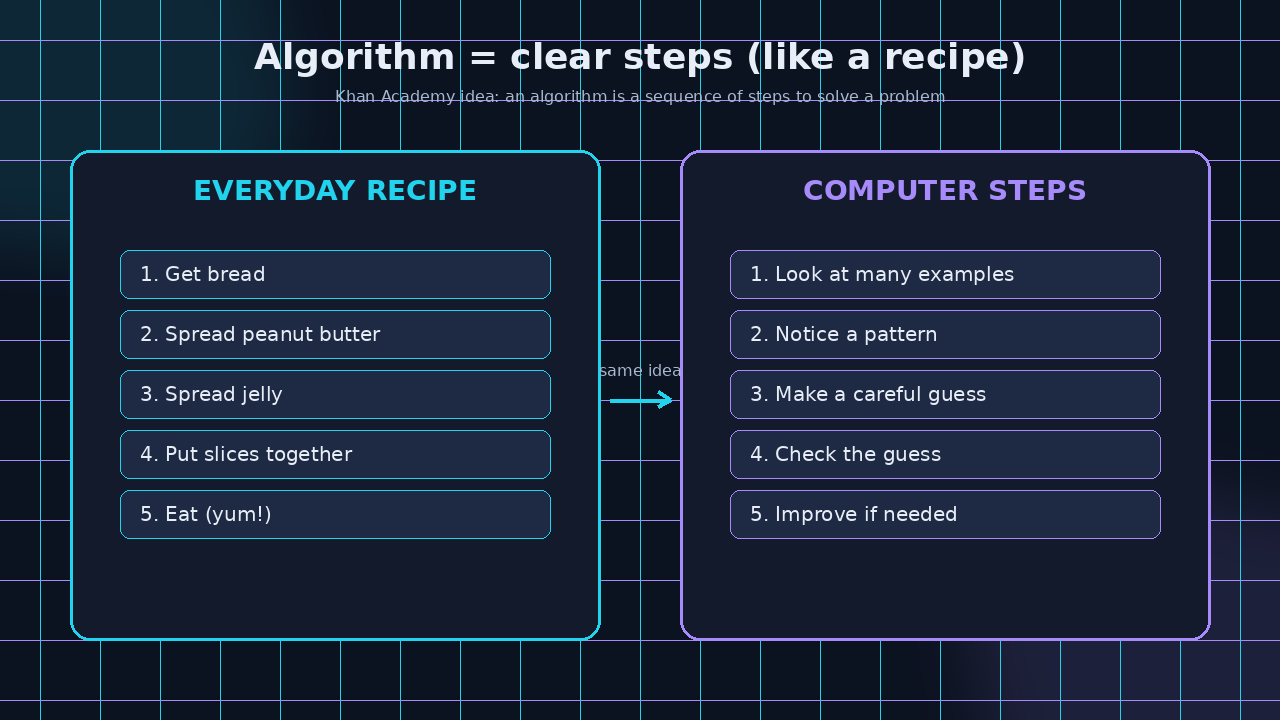
An algorithm is a sequence of steps for solving a problem — like a recipe for hanging laundry, shopping, or finding a parking spot. Computers use step-by-step instructions too, for maps, photo tags, and more. You already practice the same STEM moves: notice a pattern, sort things into groups, then test your guess.
Optional
Pattern Sort Lab (be the AI trainer)
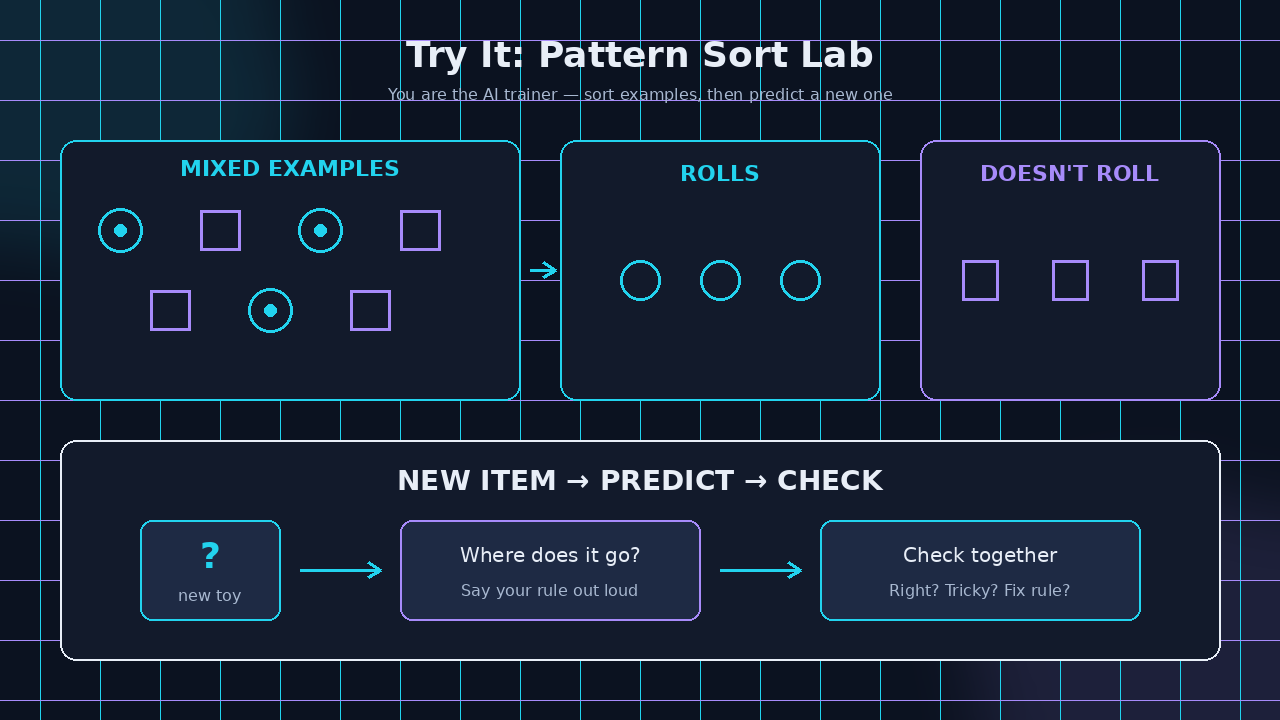
Goal: Train a “helper brain” (you!) with examples, then predict a new one.
Steps:
- Dump 8–12 small objects (or draw simple pictures) on the table.
- Train: Sort them into two groups with a clear rule you invent — for example “things that roll” vs “things that don’t,” or “red” vs “not red.”
- Say your rule out loud in one short sentence. That is your “model.”
- Predict: Adult adds one new object (or draws one). Where does it go? Why?
- Check: Was the guess right? If not, was the rule unclear, or was the new item a tricky example?
- Optional round 2: Change one rule and re-sort. Notice how different examples change the helper’s guesses.
Success check: You can say your sorting rule in one sentence and place a new item with a reason.
Talk about it: How is your sort like teaching a computer with examples? What would happen if your examples were mostly one kind of thing?
Optional adult-led screen peek (not required): Together, open a familiar maps or search app you already use. Type a place or a word. Ask: “What pattern might the helper be using?” You stay in charge the whole time. No chatbots alone.

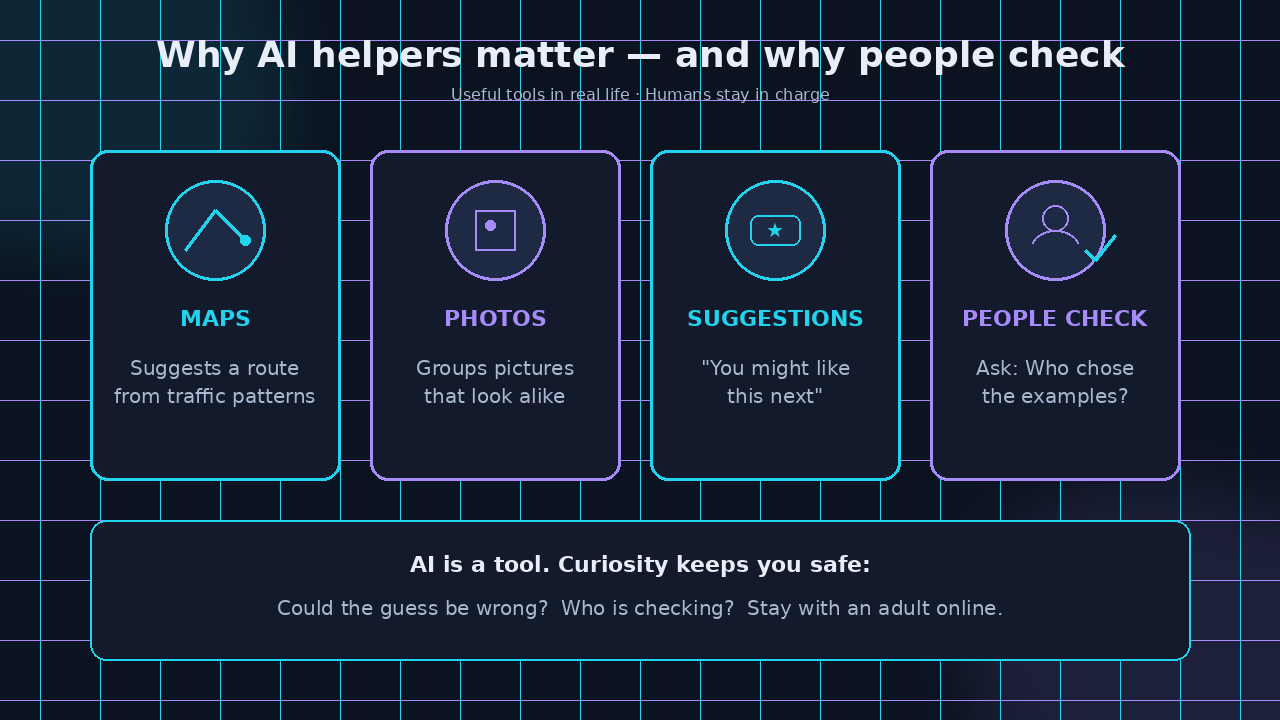
People build AI helpers so computers can do pattern jobs quickly — sorting photos, suggesting a route, spotting spam messages — so humans can focus on bigger decisions.
Understanding AI matters because these helpers show up in everyday tools. If you know they learn from examples, you can ask smart questions: Who chose the examples? Could the guess be wrong? Who is checking?
That curiosity keeps you safe and sharp. AI is a tool. People stay responsible for how it is used.
You can notice AI-style pattern helping in everyday life (with an adult):
- Maps: A route suggestion based on traffic patterns.
- Photos: Grouping pictures that look alike.
- Recommendations: “You might like this next” after many examples of what people watched or listened to.
- At home (no screen): Sorting laundry, matching lids to pans, or finishing a pattern on a worksheet — same “examples → rule → guess” idea.
When to use this lesson: On a rainy day, during summer STEM time, or after you notice an app making a suggestion and want to dig deeper at the table.
Optional extension: Revisit the lesson together and ask your child to point out an “example,” a “pattern,” and a “guess.” Keep it curious, not quizzy. Stay with them online.
Optional
Check your thinking
Talk together. There are no trick answers — just good noticing.
- What is AI?
- How is a calculator different from a “smart helper” that learns from examples?
- What is a pattern? What is a prediction?
- What is an algorithm (hint: clear steps, like a recipe)?
- Why do people need to check AI guesses?
- Name one everyday place where a computer might be using patterns to help (with an adult nearby).
Optional
Word bank
- AI (artificial intelligence) — A computer helper that learns from examples to find patterns and make useful guesses.
- Example — One piece of training data (a photo, a song choice, a past trip) the computer studies.
- Pattern — Something that repeats or looks alike across many examples.
- Prediction — A careful guess about something new, based on patterns.
- Machine learning — Teaching a computer to improve at a job by studying many examples.
- Algorithm — A clear step-by-step set of instructions for solving a problem (like a recipe).
Supplemental STEM aid for home or summer learning — not a school curriculum replacement. Adult supervision for materials and any screen time. Not medical, therapy, or certified curriculum advice. Kids should not use chatbots alone.